Design it once. Let the data keep it current.
A drag-and-drop editor made for the sizes screens actually are. Start from a template or a blank canvas, use your own colors and fonts, and bind a spreadsheet so the board updates itself.
Included in every plan · $5 per screen a month
Made for TV and kiosk sizes
Pick Full HD, 4K, a portrait kiosk or a custom size, and start from a template or an empty canvas. Everything you make stays editable — there is no flattened export you can't get back into.
- Templates for menus, posters, flyers and opening hours.
- Portrait and landscape, because a food truck and a bar wall are not the same shape.
- Autosave, undo and redo, with a thumbnail of every design in your library.
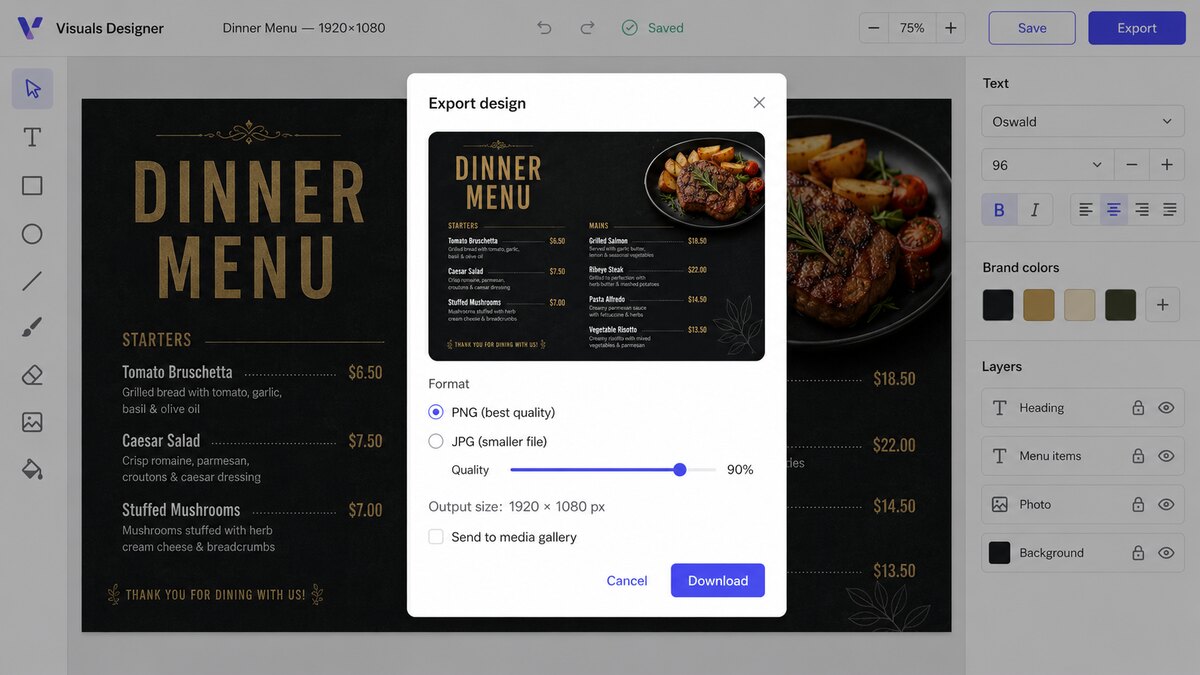
Your colors and fonts, already loaded
Set your brand colors, drop in your logo and pick your fonts once. They are there in every design after that, so a second person making a sign doesn't have to guess your hex codes.
- Brand colors and logo available in every design.
- A curated set of Google Fonts, chosen to stay readable across a room.
- Layers, groups, snapping and guides so things line up without fiddling.
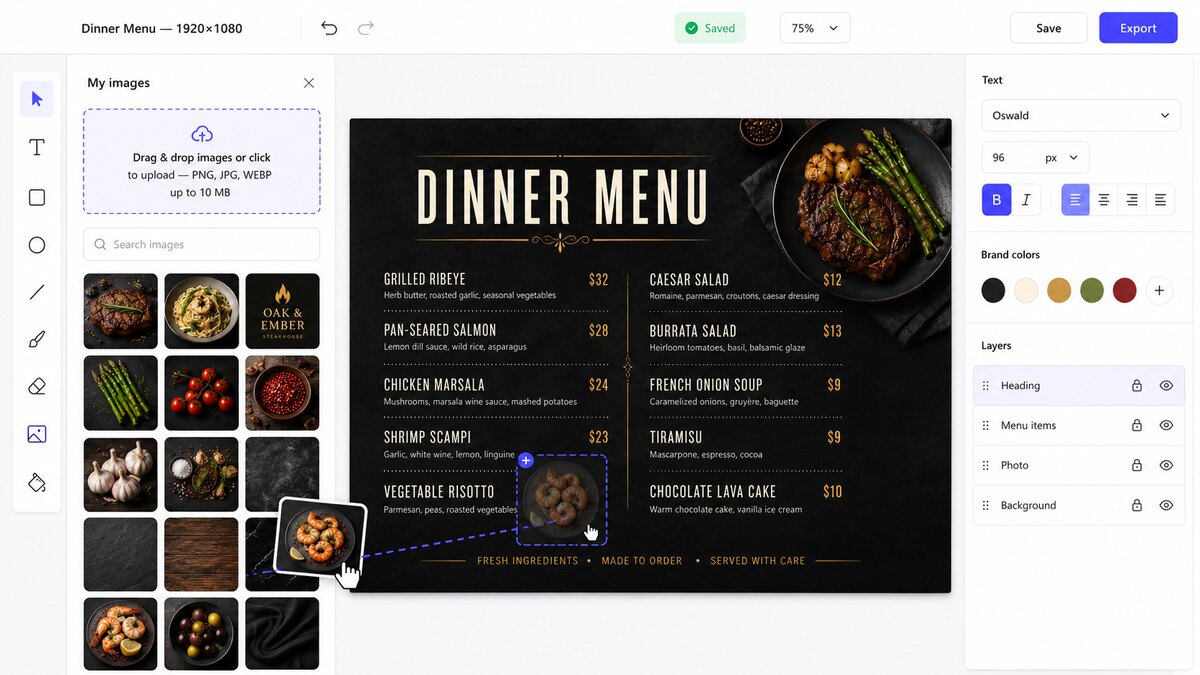
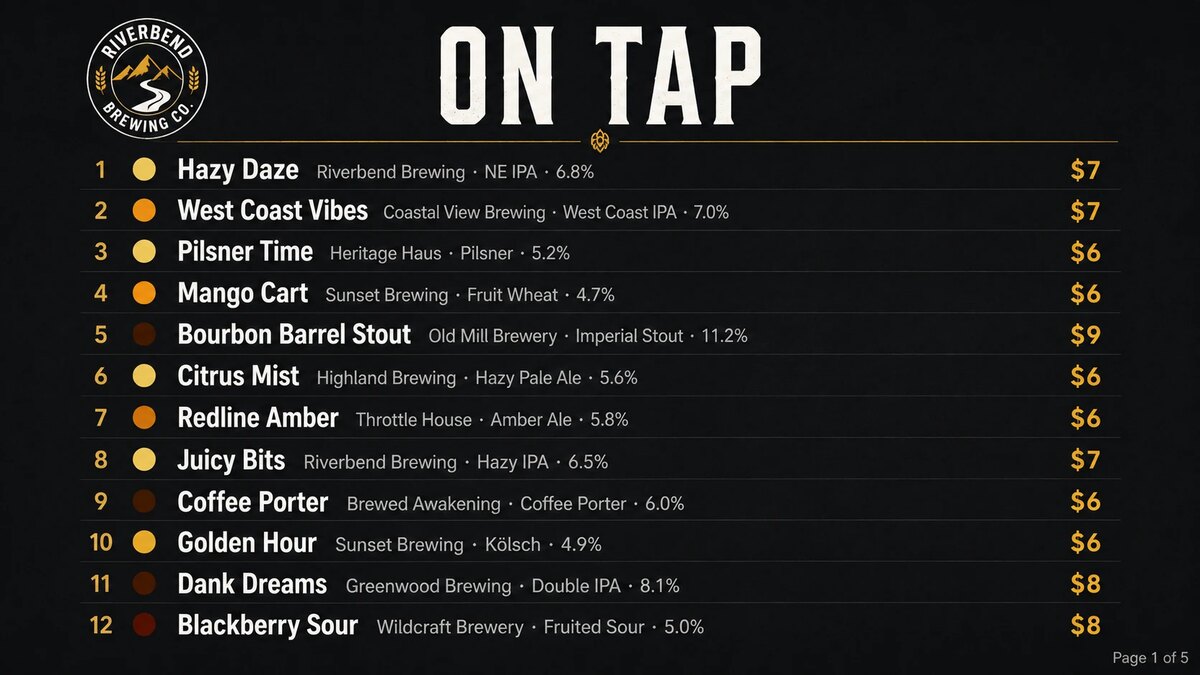
Fifty beers, one design, five pages
Upload a CSV and tell the Designer which column goes where. Draw one row on the canvas and a repeater does the rest — it lays out every row, splits them across as many pages as it takes, and re-renders when the file changes.
- Tap lists, price lists, departure boards and leaderboards from the sheet you already keep.
- Rules, such as DELAYED in red or a tag on anything above 8% ABV.
- Sort and filter without touching the spreadsheet.
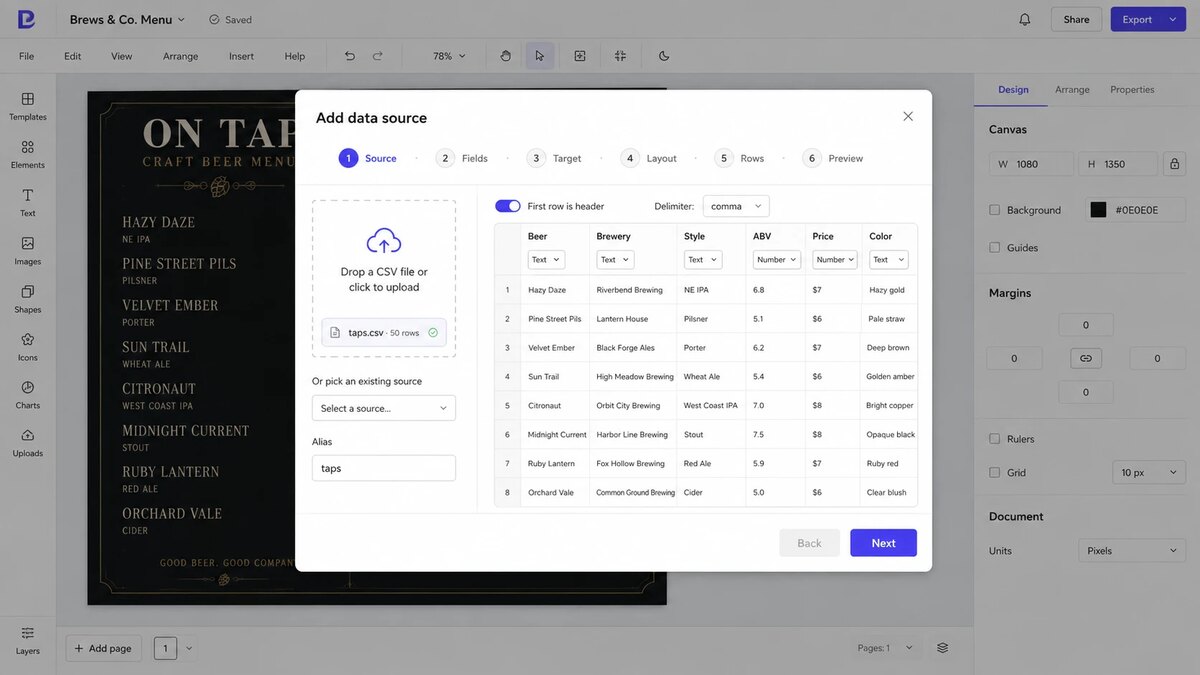
Change the sheet, not the design
Every upload is versioned, so you can see what changed and roll back if a bad file goes out. When you want it automatic, push the new data straight over the API from your POS or a script and the board re-renders on its own.
- Versioned uploads — every CSV you send is kept.
- API push from a POS, a cron job or a spreadsheet script.
- Re-renders automatically when new data arrives.
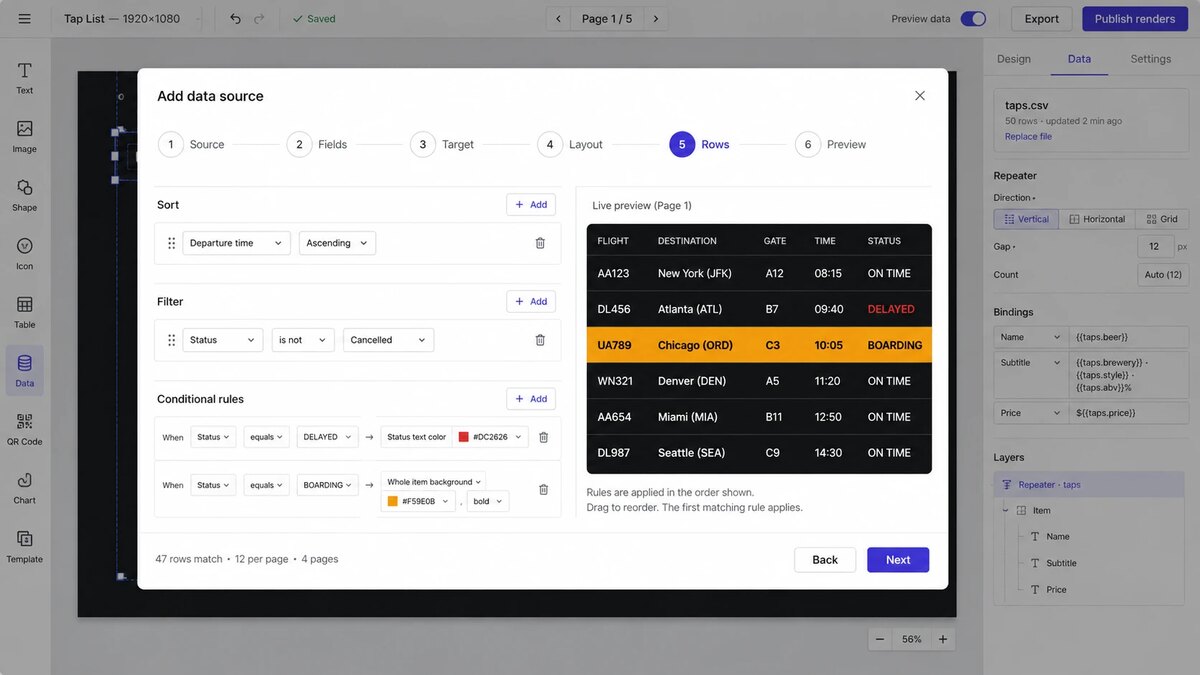
The same design, filled in
A tap list with fifty beers and a departure board off a live feed are the same feature: one design, one data source, as many pages as the rows need.
- Paginates itself — you never count rows per page.
- Exports at exact pixel size for anywhere else you need the artwork.
Make your first design in about ten minutes.
Start from a template, change the words, put it on a screen.